
Reminder Systems That Reduce No-Shows for Service Businesses

You’re losing revenue before a single word is spoken. Your current reminder system isn’t reducing no-shows; it’s just adding noise to a client’s already saturated inbox. The common belief is that a simple 24-hour email is a strategy. It’s not. It’s a low-effort tactic that ignores the real problem.
The gap between a booked call and an attended meeting is a critical conversion point, and most service businesses treat it like a passive waiting period. This isn’t a notification failure; it’s an infrastructure failure. A thoughtfully architected reminder system for booked calls does more than just remind. It confirms intent, builds value, and protects your sales pipeline from the slow leak of client indifference.
Stop focusing on the reminder and start architecting the journey. True no-show reduction isn’t about volume or frequency; it’s about intelligent, value-driven communication that makes showing up the only logical choice for your prospect.
TL;DR: The Infrastructure-First Approach to Reducing No-Shows
- No-shows are a symptom of a weak digital infrastructure, not just a scheduling problem. Each one represents a direct revenue leak.
- An effective reminder system is a multi-stage workflow, not a single notification. It should include confirmation, value-nurturing, and re-engagement layers.
- The logic of your communication (what you say, when, and on which channel) is more important than the specific automation tool you use.
- Intelligent systems use data from the booking and your CRM to personalize the communication sequence, increasing its relevance and impact.
- Moving from a tactical « reminder » to a strategic « attendance assurance system » protects your pipeline, respects your team’s time, and increases conversion rates.
- Automation without a clear architecture behind it simply creates more noise and can actively damage your brand’s perception.
The Hidden Cost of No-Shows: A Deeper Structural Inefficiency
Every no-show feels like a personal slight, a waste of 30 minutes. But the true cost is far greater and points to a significant structural inefficiency in your growth engine. It’s a cascade of wasted resources that goes far beyond a single empty calendar slot.
Consider the real financial impact:
- Wasted Acquisition Cost: You paid to acquire that lead through ads, content, or outreach. A no-show nullifies that investment instantly.
- Sales Team Downtime: Your highest-value personnel are sitting idle, prepared for a conversation that never happens. This time could have been spent on revenue-generating activities.
- Pipeline Integrity Damage: Inaccurate forecasting becomes the norm when your « booked meetings » metric is unreliable. You can’t build predictable growth on a foundation of uncertainty.
–Broken Momentum: The prospect was interested enough to book. The no-show breaks that psychological momentum, making future re-engagement exponentially harder.
This isn’t a problem to be solved with a cheaper scheduling tool. It’s a systemic failure. The client journey from your website to a booked call is a critical part of your conversion funnel, and if that journey is leaky, your entire growth model is compromised. This is why a well-designed digital presence, like the ones we architect through our website development services, must connect seamlessly to a robust post-booking infrastructure.
Architecting an Intelligent Meeting Attendance Workflow
To fix the problem, we must stop thinking in terms of « reminders » and start thinking in terms of an « attendance workflow. » This is not a single action but a structured sequence of communications designed to guide a prospect from booking to attendance with minimal friction and maximum value. This is the core of an effective appointment reminder sequence.
A properly designed infrastructure operates on four distinct layers.
1. The Confirmation Layer: Validating Intent Immediately
The moment a meeting is booked, the clock starts. The first communication should be immediate, clear, and action-oriented. Its purpose is not just to confirm the time but to validate the prospect’s decision. This layer should include clear calendar invites (.ics files), links to reschedule, and a concise summary of the meeting’s purpose. This sets a professional tone and solidifies the commitment.
2. The Nurturing Layer: Maintaining Momentum Between Booking and Meeting
This is the layer most businesses ignore. The time between booking and the meeting (especially if it’s days away) is a vacuum. If you don’t fill it with value, your prospect’s attention will wander. Instead of silence, this is an opportunity to nurture. Send a relevant case study, a short article you wrote, or a link to a helpful resource. This transforms the waiting period from passive to productive, keeping your company top-of-mind and reinforcing your expertise.
3. The Re-engagement Layer: The Critical 48-Hour Window
This is where traditional booking reminders live, but they should be more intelligent. The 48-hour, 24-hour, and 1-hour reminders are tactical. Here, the channel can be varied—mixing email with SMS for the final reminder can be highly effective. The messaging should shift from value to logistics: « Looking forward to our call tomorrow at 10 AM, » followed by the meeting link. This is the final nudge, the logistical confirmation that makes it easy to attend.
4. The Post-Meeting Layer: Closing the Loop for Everyone
The infrastructure’s job isn’t over when the meeting time passes. The system must know if the prospect attended or not.
- If Attended: Trigger the next step in your sales process (e.g., proposal follow-up).
- If No-Show: Trigger a separate, automated « no-show sequence. » This can be a simple, non-accusatory email: « Looks like we missed each other. Here’s a link to reschedule if you’re still interested. » This automates the recovery of potentially valuable leads without manual effort.
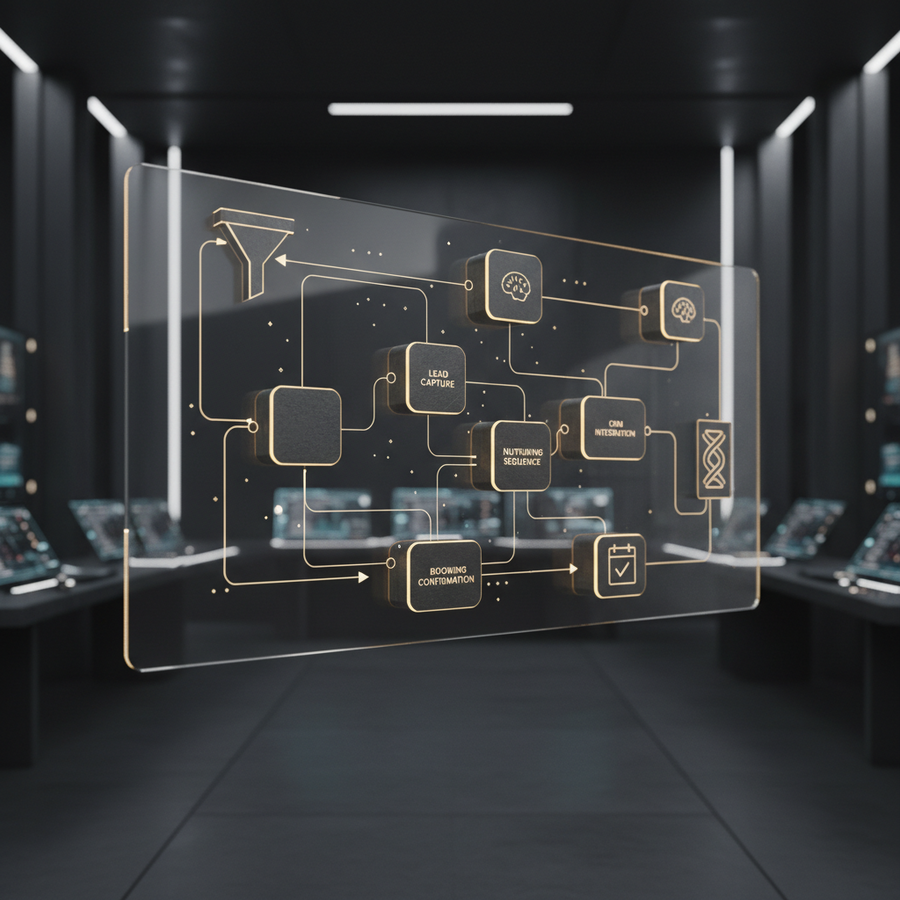
Practical Workflow Architecture: The Attendance Assurance Sequence
Conceptual layers are vital, but how does this translate into a practical, automated system? This is where we move from strategy to implementation. Below is a high-level, tool-agnostic breakdown of the workflow architecture required for a true no show reduction system. This is not a tutorial; it’s the blueprint for the logic your tools will execute.
This is a foundational example of a workflow automation system designed for reliability and growth.
- Trigger: Meeting Scheduled. This is initiated by a webhook from your scheduling tool (e.g., Calendly, Acuity) the instant a prospect books a time slot.
- Data Normalization: The system receives raw data (e.g., `firstName`, `email_address`). It standardizes this information, properly capitalizes names, validates email format, and prepares it for use in the CRM and communication tools.
- Decision Logic: This is the brain of the operation. The system checks several conditions:
- Is the meeting more than 72 hours away?
- Does this contact already exist in the CRM?
- What was the lead source (e.g., Paid Ad, Organic Search)?
- Conditional Actions: Based on the logic, the system executes a specific path.
- Path A (Meeting > 72 hours): Send immediate confirmation email. Add contact to a 1-step « Value Nurture » sequence to be sent 48 hours after booking. Schedule standard 24-hour and 1-hour reminders.
- Path B (Meeting < 72 hours): Send immediate confirmation email. Skip the value-nurture step. Schedule standard 24-hour and 1-hour reminders.
- CRM Update: Regardless of the path, the system creates or updates a contact record in your CRM. It sets their lifecycle stage to « Meeting Booked » and adds the meeting details to their activity timeline.
- Logging: Every single action—every email sent, every CRM field updated—is logged. This creates an auditable trail of communication for each contact, ensuring context for your sales team.
- Monitoring & Error Handling: The system monitors for failures. If an email bounces or an API call to the CRM fails, an alert is sent to an internal administrator to investigate and resolve the issue, preventing data loss and communication gaps.
Your No-Show Rate Is An Infrastructure Problem
A leaky pipeline costs you more than just time; it costs you predictable revenue. Let’s analyze your current booking-to-attendance workflow and identify the structural gaps costing you conversions.
Why « Set and Forget » Automation Fails
The temptation is to buy a tool, enable a default reminder, and consider the problem solved. This is a critical mistake. Automation without architecture is just a faster way to create chaos. When a generic reminder system operates in a vacuum, it fails spectacularly.
These systems lack context. They don’t know if the lead is high-value or low-intent. They don’t know if the prospect has already engaged with three of your emails. They send impersonal, robotic messages that can erode the brand equity you’ve worked so hard to build. « Hello `{{contact.firstname}}`, » is not personalization; it’s a mail merge field.
True meeting attendance workflow design requires thinking like an architect. You must design the entire system—the data flow, the conditional logic, the messaging hierarchy—before you ever write a single line of automation. The tool doesn’t provide the strategy; it executes the one you’ve already built.
FAQ
What is the ideal timing for appointment reminders?
There is no single « ideal » timing. A robust system uses a multi-touch sequence. A standard best practice includes an immediate confirmation upon booking, a 24-hour reminder via email, and a 1-hour reminder via a different channel like SMS for higher urgency. The key is to architect a sequence, not rely on a single notification.
How can automation reduce no-shows without annoying clients?
The key is to send value, not just reminders. Instead of three notifications that say the same thing, your automation should confirm the meeting, then perhaps send a useful piece of content, and only then send the final logistical reminders. This respects the client’s time and inbox while keeping you top-of-mind.
Is a CRM necessary for an effective reminder system?
While you can run basic reminders without a CRM, it is essential for an intelligent system. A CRM provides the context needed for smart automation. It allows your system to know the lead’s history, their source, and their value, enabling you to tailor the reminder sequence for maximum effectiveness and avoid impersonal communication.

Conclusion: From Plugging Leaks to Building a Resilient Pipeline
Reducing no-shows has very little to do with the act of reminding. It has everything to do with designing a seamless, high-value, and reassuring client journey from the moment of interest to the moment of conversation. Your « reminder system » is, in fact, a critical piece of your digital growth infrastructure.
By treating it as such, you move from a reactive, tactical mindset to a strategic, system-level approach. You stop plugging leaks with more and more notifications and instead build a pipeline that is structurally sound. This is how you create predictable attendance, which in turn creates predictable revenue.
Don’t settle for a calendar that’s full of potential no-shows. Demand an infrastructure that converts booked interest into valuable conversations.
Ready to Architect a System That Protects Your Revenue?
Let’s move beyond simple reminders. We’ll help you design and implement the digital infrastructure that ensures your booked calls turn into attended meetings.